Financial Imports
LocalTeams supports several kinds of financial documents, including Revolut statements, spreadsheet exports, and even screenshots of balance spreadsheets. We make it easy to reconcile player transactions and balances.
Most casual sports groups in Ireland use Revolut for their team finances, so this guide will focus heavily on importing Revolut statements, while also catering for admins who don't use Revolut.
Exporting a Revolut statement to CSV
Export the relevant statement from Revolut in CSV format.
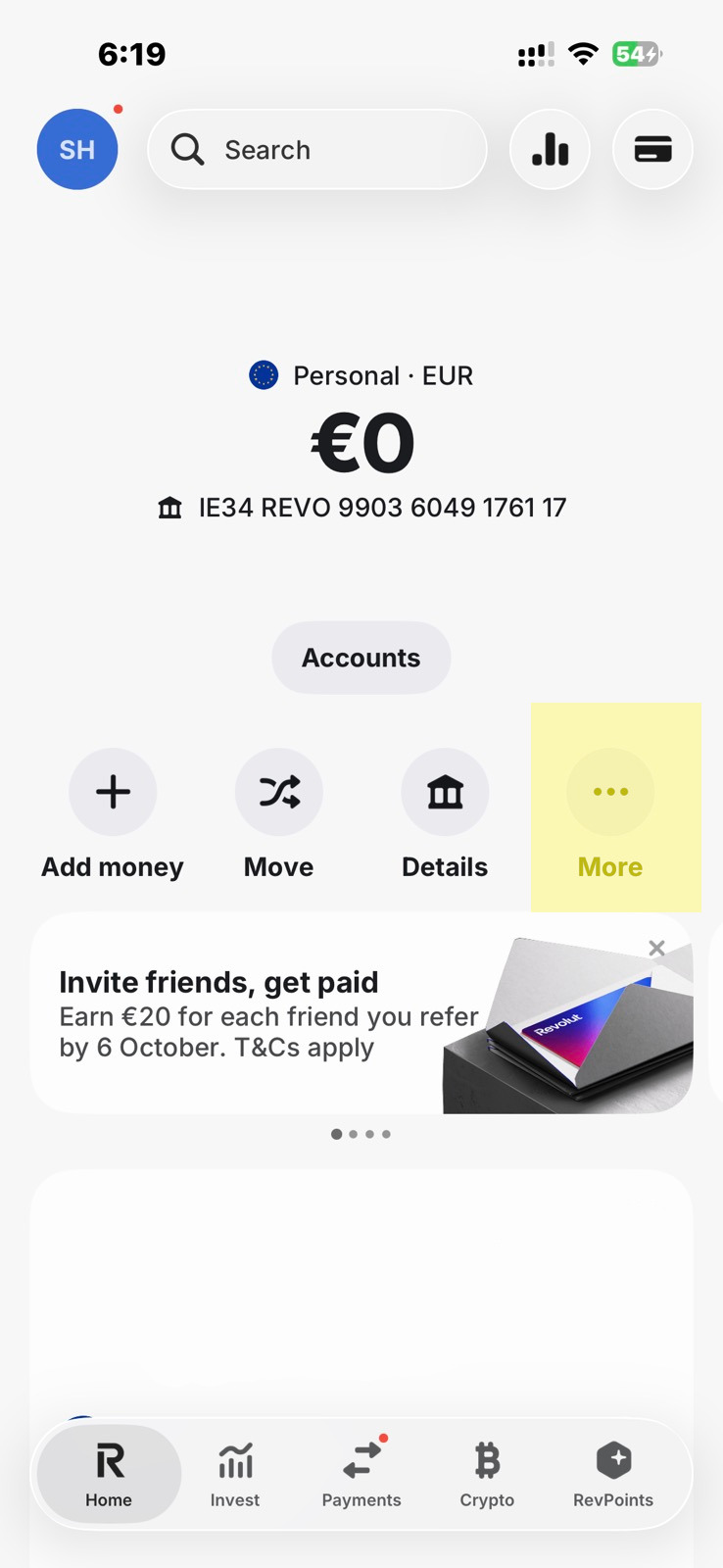
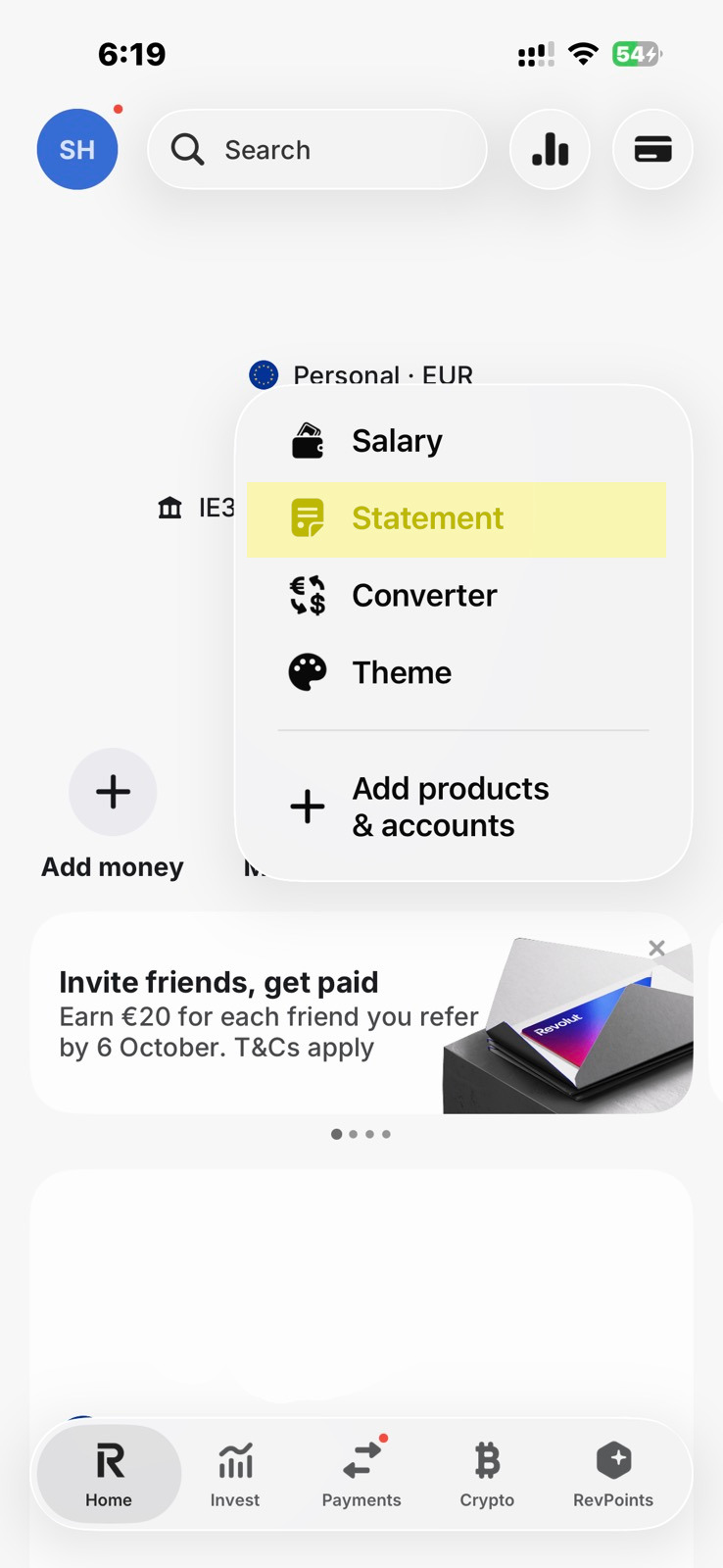
- Open Revolut and click 'More...'.
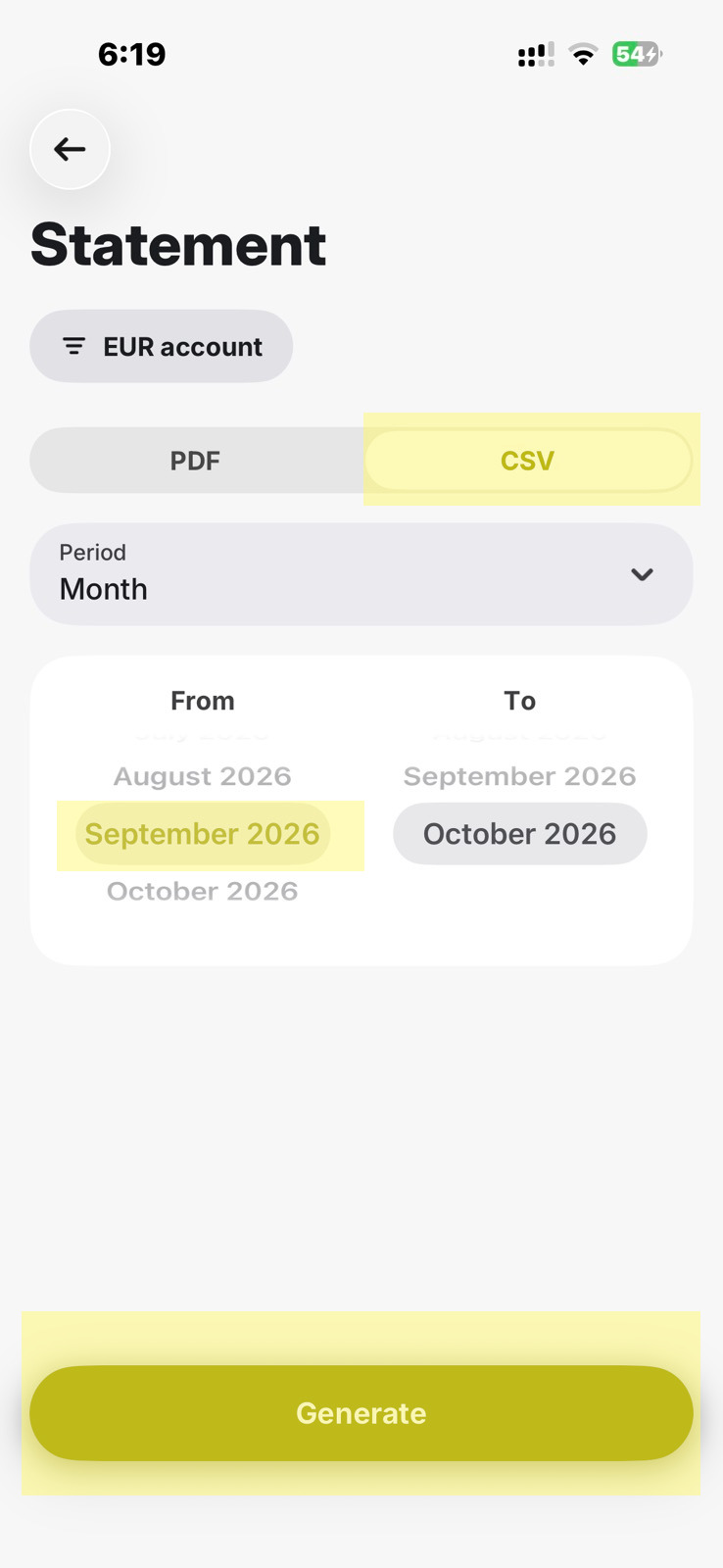
- Select CSV (rather than PDF).
- Select the period you want to export, and click 'Generate'.
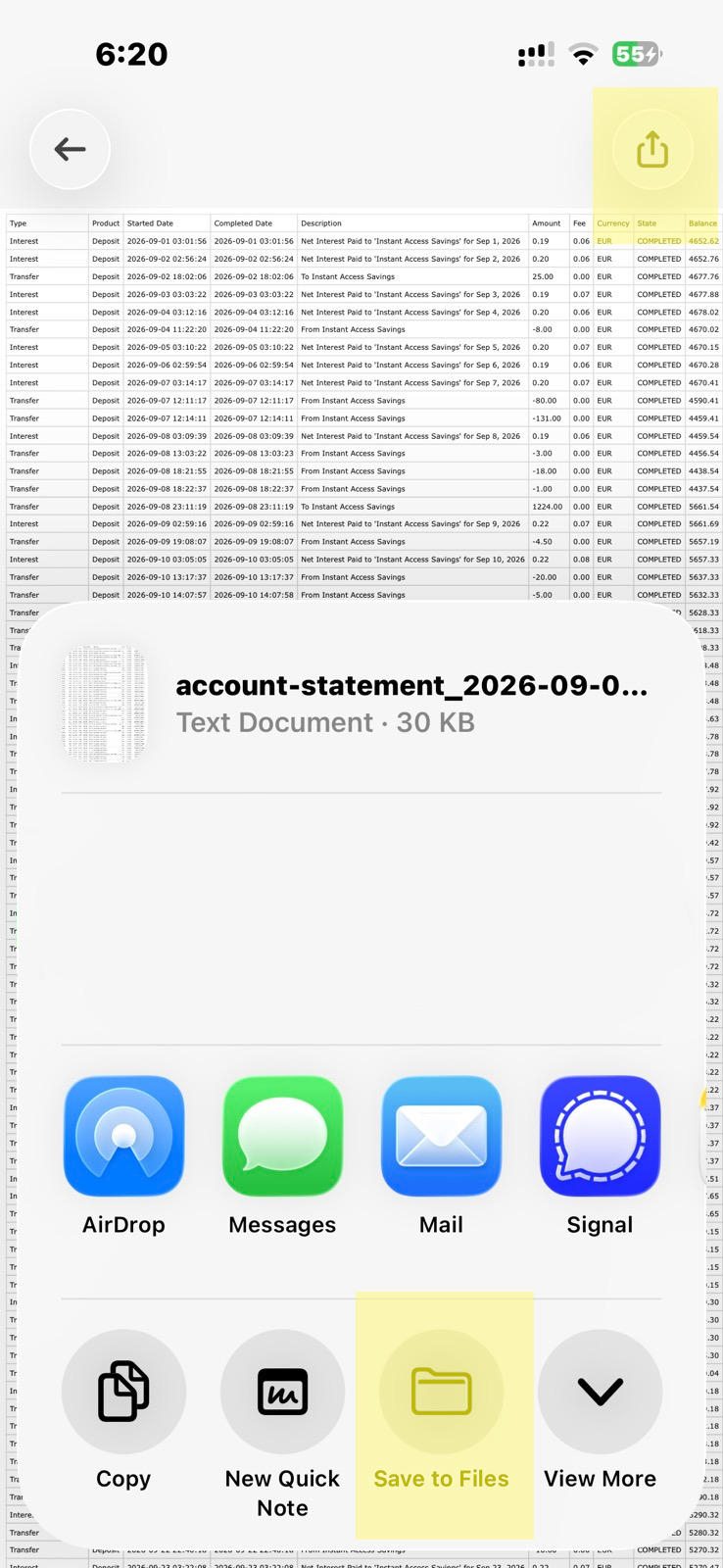
- Click the share button and select 'Save to Files' (or similar) to save the CSV file to your device.
Importing financial documents to LocalTeams
While signed in as an administrator:
- Tap the menu button in the top left.
- Tap 'Admin'.
- Tap 'Import Files'
- Tap the big button in the middle to attach a file.
- Select the financial file(s) you want to import, e.g. the CSV you exported from Revolut.
Preview and submit
After the file is processed, the transactions are displayed in a preview table before anything is saved to LocalTeams.
The preview is your chance to check:
- which transactions have been detected,
- which names were matched to players,
- whether any rows need error correction before finalising the import.
Clicking the green 'Submit' button will accept the transactions and post them to the server.
Be careful not to include transactions unrelated to your group. If a transaction has been mistakenly mapped to the name of a player in your group, you can remove that mapping using the player name dropdown. This will effectively ignore that transaction.
Privacy and browser-side processing
Revolut statement imports are processed in the browser before anything is sent to the server. That means LocalTeams only receives the chosen/relevant transactions, rather than requiring the full statement to be sent over the internet indiscriminately.
Matching names to players
When a Revolut statement contains personal names, LocalTeams compares these to known players using fuzzy similarity metrics. The system looks for close matches and uses these to map transactions to the right person.
This is especially helpful when bank account names are not perfectly identical to a player's account name on LocalTeams. Small formatting differences or nicknames are very common.
When you correct a name mapping, future imports will learn from that correction, and you won't have to fix the same mistake again.
Reviewing unclear matches
Not every name mapping is obvious. The import preview will highlight rows that need your attention.
At that point, you can:
- Set the player mapping manually
- Leave the transaction alone (it will be ignored)
Confirmation after submission
Once you've submitted the statement, a confirmation appears on screen. Players will now see their updated balances, and penalties such as game signup deprioritisation or bans will be applied or lifted as appropriate.
Screenshot import support
Importing a screenshot of a balances spreadsheet is also supported. This is useful when a clean CSV export is not available, but it requires more processing power and is generally less desirable than importing a proper bank statement.
The OCR and image analysis involved is computationally expensive, prone to occasional errors. In contrast, a Revolut statement import is almost instant, less error-prone, and more reliable for normal accounting reconciliation.
Statement import vs screenshot import
| Import method | Benefits | Drawbacks |
|---|---|---|
| Revolut statement | Works well with double-entry accounting, preserves timestamps, fast to process, centralises balances within LocalTeams, and avoids manually tracking values in a separate spreadsheet. | Some admins may want to track balances manually via a spreadsheet. |
| Balances screenshot | Can be used when no CSV export is available, still updates balances, and can work from a visible statement image. | Slower, more computationally expensive because of OCR and image analysis, less precise, and does not carry the same auditability as a structured statement export. |
The Revolut CSV import route the preferred option for day-to-day financial tracking, while screenshot import remains a useful fallback for those who don't want to give up an existing spreadsheet workflow.